
Control your SSD lifetime with SSDLife.
Unexpected drive failure leading to total data loss is a nightmare for any user. SSDLife acts as an intuitive SSD health monitor that makes SSD reliability diagnostics fast and straightforward—helping you track wear and tear in real time to keep your files safe.
SIMPLE TO USE
Clear at a glance
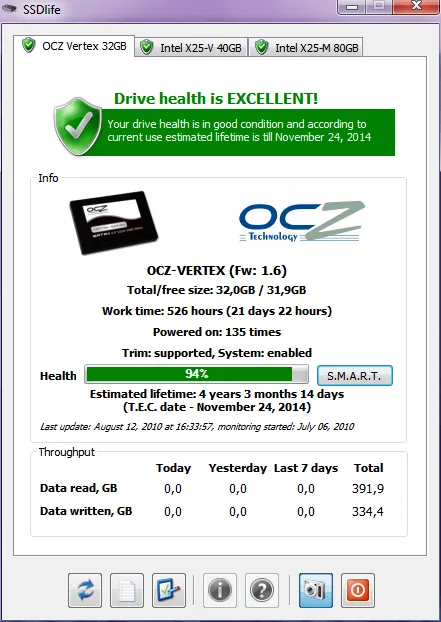
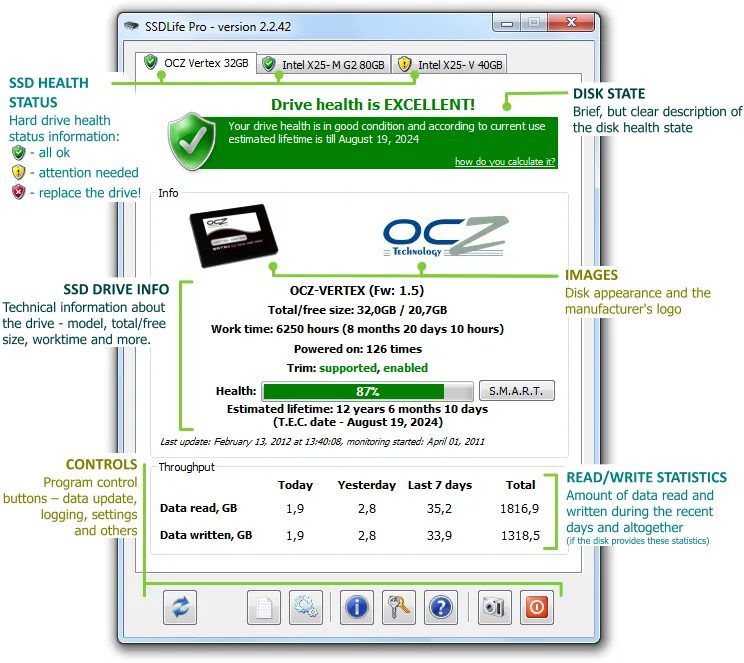
The SSDLife interface is simple and obvious – just one glance is all it takes to assess the status of a disk, to see technical information about it or to see the status of other disks in your computer.
DETAILED SSD INFO
Knows everything about your SSD.
The entire information about your SSD — from general (manufacturer, model) to technical (whether your drive/system supports TRIM) — is displayed in the main window of SSD Life.
LIFETIME MONITOR
SSD lifetime calculation.
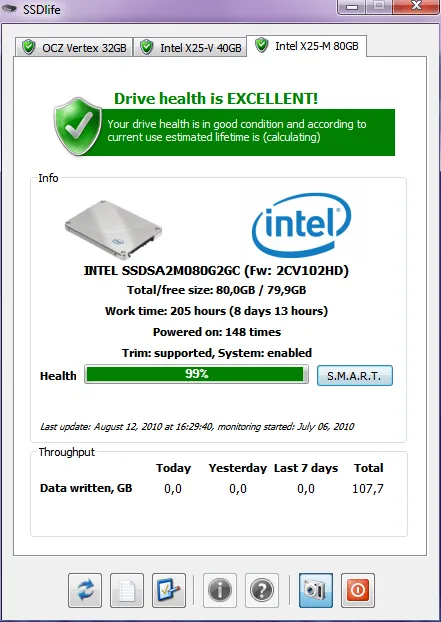
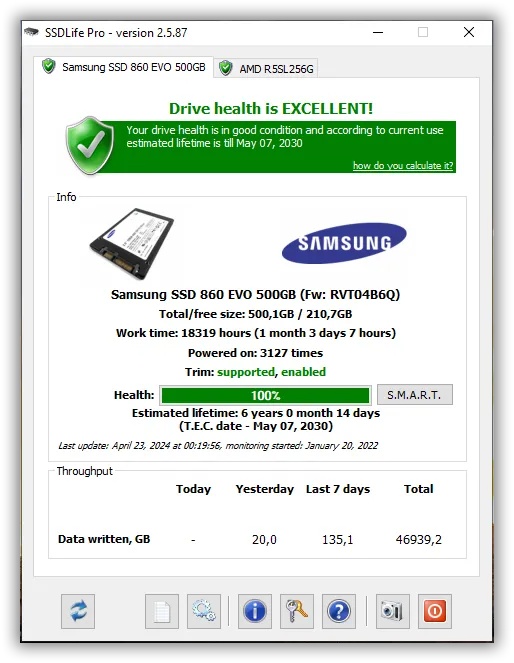
SSDLife analyzes how actively you use your solid-state drive and uses a special algorithm to calculate its estimated lifetime (T.E.C date). Of course, the date of the lifetime expiration is corrected depending on how intensively you keep using your drive.
SSD Health Check Software for Windows
SSDLife is a specialized desktop utility designed to monitor the physical condition of your solid-state drives and prevent unexpected data loss. (Note: NVMe and M.2 PCIe drives are not supported yet — NVMe monitoring is planned for mid-2027. Subscribe to our newsletter to be notified).
SSD Tester with S.M.A.R.T. Diagnostics
The program directly analyzes hardware-level S.M.A.R.T. attributes, such as the Media Wearout Indicator, to evaluate memory cell degradation. This provides a highly accurate assessment of your drive’s reliability without requiring stressful write tests.
Free SSD Tool – Download & Run in Seconds
SSDLife is available as a lightweight application that requires no complex installation; you can simply download and run it instantly. It performs quick diagnostics efficiently without constantly burdening your system’s memory.
SSD Life Monitoring: Health %, Temperature, Lifespan
Our tool calculates the remaining lifespan of your drive and displays a clear health percentage based on your actual data writing patterns. The Pro version’s SmartCheck feature monitors these parameters silently in the background, alerting you only when critical status changes occur.
GET SIMPLE PRICING
Pay once. Use forever.
One year of free updates included, optional renewal at 50% discount.
PRO
$19
Personal license for one computer

MOST POPULAR
FAMILY
$99 $65
Use within the home on 5 computers
COMMERCIAL
$29
For use in business environment.


 English
 Deutsch
 Français
 Español
 Italiano
 Português
 Português do Brasil